I will also use these opportunities to highlight their potential, so that teachers better utilize them for instructional purposes. In fact, I want to connect with specific teachers to encourage their use.
Tuesday, June 18, 2019
Thing 15: Breakout
I will also use these opportunities to highlight their potential, so that teachers better utilize them for instructional purposes. In fact, I want to connect with specific teachers to encourage their use.
Thing 23: AASL Standards
I have been working throughout the year to incorporate the AASL Standards into our library program, and the tools and resources provided through "Thing 23" were very helpful. I started my integration of the new AASL standards by diving into their meaning and looking at how I incorporate them into instruction and library programs. I used small post-it notes to color code what I am doing where, and then identify where I have gaps. I have been working this year to better address the "Grow" domain, which works well with our Districts goal to focus on Diversity and Leadership as well. Through this work I have utilized the UN's Sustainable Development Goals to broaden student perspective and provide authentic Global experiences and opportunities to engage as Global Citizens. I really like the resources I found on the "Tech Tools - AASL Standards for the Learner (PETE&C 2018)" document that addressed these goals. In particular I would like to incorporate the SDGs in Action App next year with the seniors to implement action steps more effectively.
I also focused on developing my assessments to better reflect the objectives and vocabulary of the standards. Some of the areas that I have developed are my book project grading criteria, as seen in this example, and my long term research rubrics. I have also been working toward my ISTE Certification this season, and am working to incorporate those standards as well, as you can see reflected in this Research Seminar Rubric.
Finally, I wanted to bring together the AASL Standards and our Districts Innovation Standards (based on ISTE Standards) under the Inquiry model that we utilize at Lake George, WISER, to have a crosswalk for myself to see how I can consolidate some of this work to maximize the impact I can have through our library. That work is gathered here in our WISER Crosswalk with Standards.
My next steps will be in rolling out a more consistent approach to addressing these Standards at those grade levels where I spend less time. Over the summer I will be developing my strategy of where to make these in roads to better build student experience.
I also focused on developing my assessments to better reflect the objectives and vocabulary of the standards. Some of the areas that I have developed are my book project grading criteria, as seen in this example, and my long term research rubrics. I have also been working toward my ISTE Certification this season, and am working to incorporate those standards as well, as you can see reflected in this Research Seminar Rubric.
Finally, I wanted to bring together the AASL Standards and our Districts Innovation Standards (based on ISTE Standards) under the Inquiry model that we utilize at Lake George, WISER, to have a crosswalk for myself to see how I can consolidate some of this work to maximize the impact I can have through our library. That work is gathered here in our WISER Crosswalk with Standards.
My next steps will be in rolling out a more consistent approach to addressing these Standards at those grade levels where I spend less time. Over the summer I will be developing my strategy of where to make these in roads to better build student experience.
Tuesday, June 11, 2019
Thing 22: Teaching with Primary Sources
The timing for this topic was perfect, as I was preparing for our final 8th grade English book project. Each month students select an independent read, and then do a project, developing communication and creation skills throughout the year. Our final project each year is focused on Historical Fiction and adds an inquiry element designed to prompt students to explore a time period through multiple perspectives. Based on their book selection they write a research question to drive their exploration of primary sources. This year I expanded their options for research based on the resources I found through Cool Tools. The document sets available, particularly through the Digital Public library and the Library of Congress, helped some students narrow their focus, so these collections didn't feel so overwhelming.
I really like the potential of Eagle Eye Citizen, and can see this being used by our Social Studies 7 teacher who presents her students with a primary document each week connected to their learning objectives. I created a challenge related to amendments to experiment with the creation and usage, and think it would have a smooth application.
To encourage teacher use of primary sources I used Wakelet to curate a collection, which I then incorporated into a Destiny Collection to share out with our social studies teachers. Because of the push to use primary sources in evidence base writing I knew this would be a good place to share. Now that it is created I can easily modify and re-share when it will be pertinent.
I really like the potential of Eagle Eye Citizen, and can see this being used by our Social Studies 7 teacher who presents her students with a primary document each week connected to their learning objectives. I created a challenge related to amendments to experiment with the creation and usage, and think it would have a smooth application.
To encourage teacher use of primary sources I used Wakelet to curate a collection, which I then incorporated into a Destiny Collection to share out with our social studies teachers. Because of the push to use primary sources in evidence base writing I knew this would be a good place to share. Now that it is created I can easily modify and re-share when it will be pertinent.
Tuesday, May 14, 2019
Thing 11: Digital Tattoo and Digital Citizenship
As I look at tools, resources, and information on the topic of Digital Citizenship, my biggest takeaway in developing my own strategy is that I was to instruct from the perspective of empowering students rather than a perspective of fear. I found many of the lessons focused on "staying safe", presenting the assumption that being online is dangerous. While it is important for us to teach students where they may encounter dangers, I think we will have a more effective impact if we lead from a more proactive approach, focusing on opportunities to engage in positive and empathetic behaviors online as they develop as digital citizens, just as they develop as citizens in the larger sense.
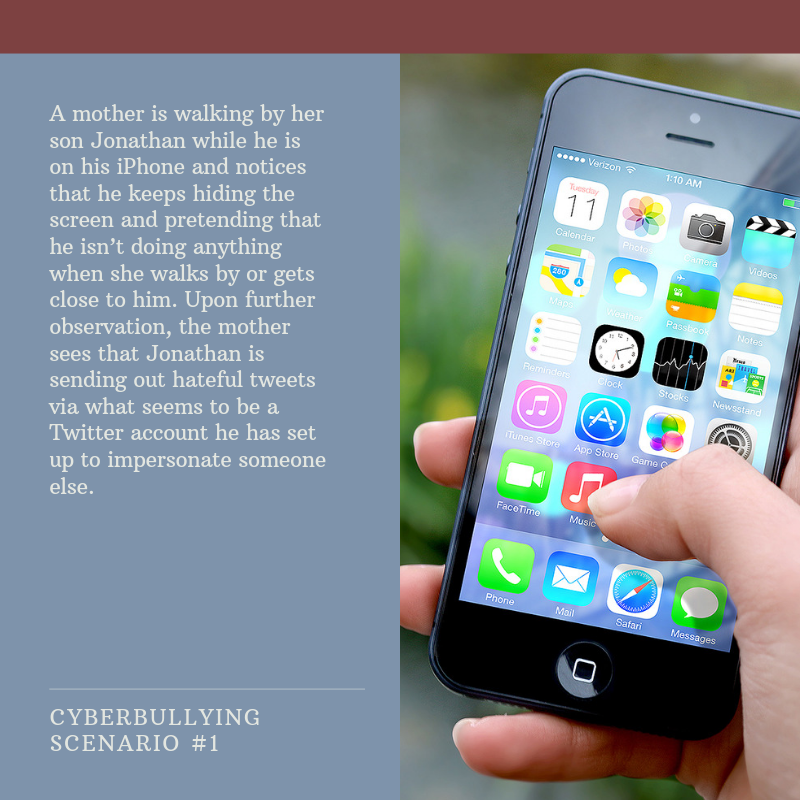
I appreciated the definition of Digital Citizenship presented by Common Sense media, "empowering your students with skills to think critically, behave safely, and participate responsibly online, allowing them to connect and collaborate in meaningful ways" ("How to Teach Digital Citizenship Through Blogging"). In an effort to follow this mindset, our Director of Instructional Technology and I developed and delivered a carousel of learning activities on Digital Citizenship for our 7th grade students. We framed their sessions with Essential Questions framed within these three categories from Common Sense media: Digital Footprint, Relationships and Communication, and Cyberbullying. Students rotated through 3 stations, all designed with a different content and instructional focus. Our session on cyberbullying was presented through scenario cards and small group discussion and role playing. The session on developing your digital footprint was an individual exploration of online tools accessed through this Google Site. Finally, the session on Relationships and Communication was a large group presentation facilitated by our safety officer.
Our reflection time after these sessions was critical, as students engaged in these activities with a mix of seriousness and mischief. We were able to provide opportunity for a group reflection, focused on their role in creating their community online, and then challenging them to each make individual commitments to grow in at least one specific area. We collected their commitment, or "Promise" cards, and plan to give these back to them in 6-9 months for a follow up on how they are doing towards this goal.
One thing that we felt strongly about after running these sessions was the challenge of it being a stand alone, one time activity. We are hoping to build from this place towards and ongoing, monthly series of learning experiences that can be embedded in a more authentic way.
Our reflection time after these sessions was critical, as students engaged in these activities with a mix of seriousness and mischief. We were able to provide opportunity for a group reflection, focused on their role in creating their community online, and then challenging them to each make individual commitments to grow in at least one specific area. We collected their commitment, or "Promise" cards, and plan to give these back to them in 6-9 months for a follow up on how they are doing towards this goal.
One thing that we felt strongly about after running these sessions was the challenge of it being a stand alone, one time activity. We are hoping to build from this place towards and ongoing, monthly series of learning experiences that can be embedded in a more authentic way.
Wednesday, May 8, 2019
Thing 8: Digital Curation
I have been really inspired by the AASL Standards (Library) to incorporate curation intentionally into my instructional practices (Shared Foundation IV: Curate). Curation is something that I have always done as part of my library resource sharing, but building it into student learning strategies to Empower them as learners is something new for me (ISTE standard I. Empowered Learner). This year I incorporated curation into my Research Seminar class as one of their learning objectives. Students had to think critically as digital citizens to evaluate web sources and collaboratively curate a list (ISTE Standard II. Digital Citizen). They are required to consider relevance and reliability of source content, and defend the usefulness of these sources to our intended purpose.Research Seminar has a blended learning structure, which I organize around student generated questions about the UN's Sustainable Development Goals. As they gathered sources, students contributed to shared collections, such as this one on "Clean Water", within our school libraries Destiny Collection. This was both a new learning activity and new tool, and a great learning process for both myself and the students. Some things worked well and others need to be adjusted after reflection.
In looking at additional tools available, I explored Wakelet, which I really liked. This digital curation tool allows you to easily gather all different types of sources and displays them in a visually appealing format. There are so many applications for these curation tools within the library curriculum, and resource sharing for faculty. I may utilize this tool with Research Seminar students next year, rather than Destiny Collections, because of the visual appeal and ease of access. It generates a link to invite collaborators, which I could share through Google Classroom, streamlining that process for collaborative curation. This would benefit students who struggled this year with the sign in process for Destiny Collections. The visual format of Wakelet also lends itself to embedding content into a website, so I could share these resources beyond the context of the classroom. Below you can see what that format looks like, which would be very functional, not only for student access to resources, but also sharing instructional tools and professional articles with teachers and faculty. In the past I have created Smore Newsletters to share with colleagues, but I may try Wakelet as an alternative, because I can continue to curate topics and consistently share those resources.
Tuesday, April 9, 2019
Thing 6: Digital Storytelling
This week I rolled out a project in a Spanish 7 class in which students were asked to create Travel Videos to entice tourists to various Spanish speaking countries using the five senses. The teacher had used Adobe Spark in the past, but at that time the regulations within the program meant she had to allow students access to her account for them to create, because most of the 7th graders were still 12 years old. Recently Adobe Spark created an Education option, allowing schools to connect their student Google accounts, which solves that student access challenge. I worked with my tech department to make this connection possible and the rollout to students went very smoothly. They are in the creation phase now, and will be heavily relying on the resources I provide through my
Media Creation Tools document. This is a document that I leave intentionally varied and broad to allow for maximum student empowerment of tool selection in their learning process.
In addition to Adobe Spark, I used Powtoons to create a promotional video for our April Literacy program of Bookopoly. This is a tool that I have used in the past, but I usually suggest it for a certain style of video and I wanted to explore how versatile it could be. Creating this video gave me a small glimpse into the potential for creativity and opened up other projects that I do to potentially using Powtoons.
Thing 20: Social Reading
I recently began the ISTE Certification process and one of our initial assignments had us crowdsourcing for resources to address diverse learning needs. As I began this assignment for Crowdsourcing of Diverse Learning Resources I knew there were several ways that I could approach it. I decided to specifically focus on diversity in a cultural sense, as it is something that I have been exploring through my role both in the library and the purchase of books and as a member of our Diversity Committee at Lake George. This fits nicely with the ISTE Collaborator strand which explicitly develops "cultural competency when communicating with students, parents and colleagues", as well as inspiring me to utilize some of the tools I have been exploring for social reading.
With all of the new tools out there I have been wanting to utilize some of the curation elements to connect to our reading culture. I gathered titles to curate for student access that would reflect the theme of cultural diversity. I used two methods of curation, with Destiny Collections and Sora, creating two points of access for students to explore diverse titles. This will allow them to be empowered and self-directed in their selection of books to expand their cultural understanding and experiences. The curation of these titles is a step in our process of developing cultural competency within our school community. The tools I explored provide a natural access point for students. These are resources and tools I will use again for collaboration and curation. Now that I have learned the process and potential I look forward to seeing the student engagement.
My next steps are to increase the activity of our avid readers on Goodreads. I have a handful of students who use it to write and share reviews as well as keep track of their reading lives. This has been a great method of collaboration and communication with them, but I want to spread that usage. Right now I am working with a small group of readers participating in a Battle of the Books reunion, and see the potential of getting them connected in that way.
Subscribe to:
Posts (Atom)